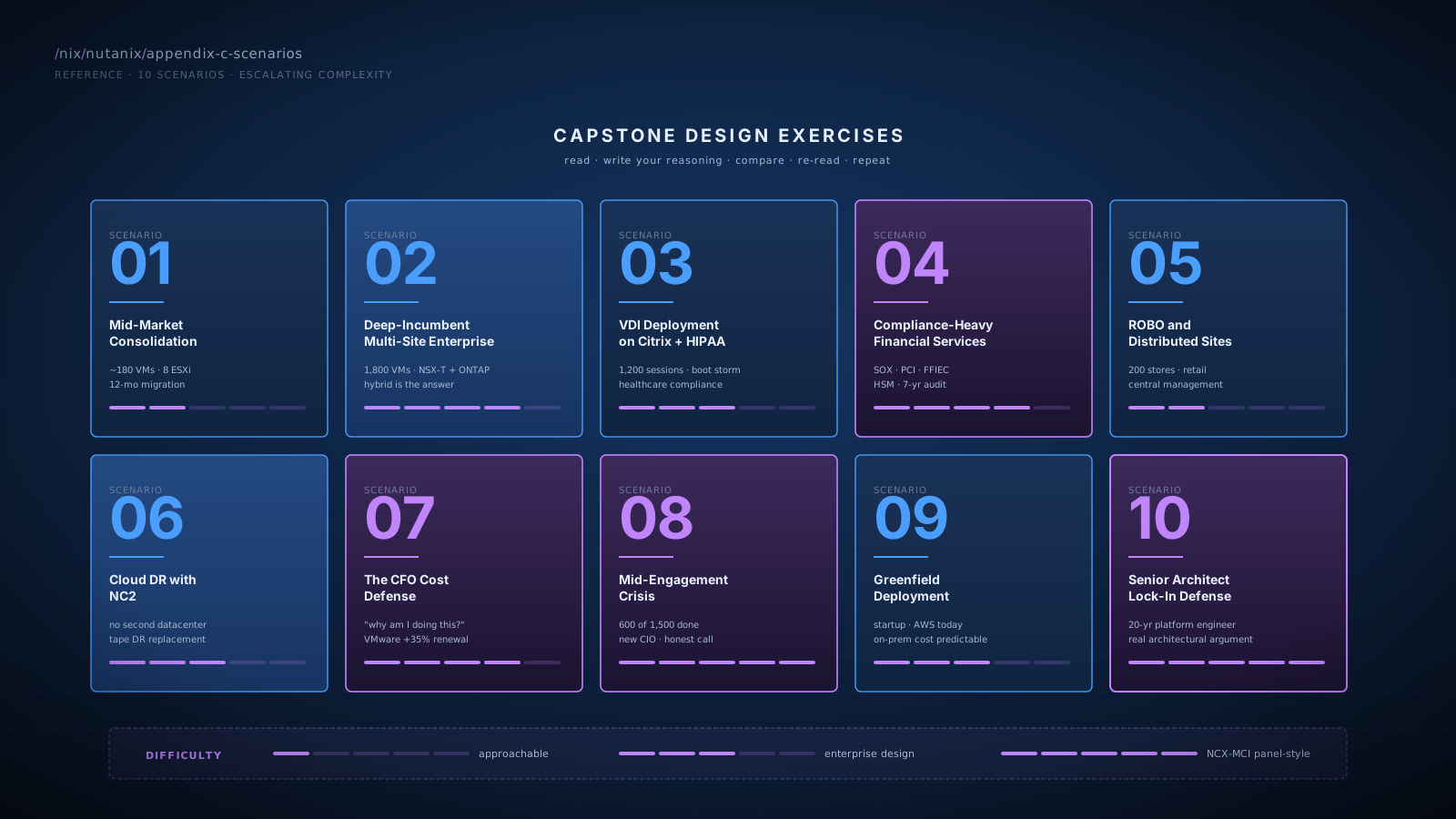
SCENARIO 01Mid-Market Full Consolidation
Cert relevance: NCP-MCI · NCM-MCI · sales-relevant
- Mid-market manufacturing company, ~250 employees in IT-relevant roles
- Single primary datacenter, one secondary site for DR
- 8 ESXi hosts (Dell PowerEdge R650), ~180 VMs
- NetApp filer (80 TB), Pure FlashArray (40 TB iSCSI for one application), Veeam with Data Domain (60 TB)
- VCF subscription, NSX-T (light usage, basic distributed firewall on ~30 VMs only)
- Hardware refresh window: 6 months
- 5-person infrastructure team, no Nutanix experience
- Annual storage + VMware spend: ~$280K
Customer wants a complete consolidation onto Nutanix on Dell XC hardware. Build the architecture, sizing, migration plan, and 5-year TCO.
- Cluster sizing: 8-10 node Dell XC cluster sized for compute (180 VMs) + Files (80 TB after RF and reservation) + Objects (60 TB for Veeam) + Volumes (40 TB for the iSCSI consumer). All-NVMe, 25 GbE networking, redundant uplinks.
- Architecture choices: RF2 with compression for general-purpose workloads; RF3 for the small set of mission-critical VMs (or RF2 if application HA is in place); EC 4+1 for cold backup data on Objects. Categories defined upfront for
EnvironmentandBackupTier. - NSX-T strategy: Light usage favors clean migration to Flow Network Security. Map the ~30 VMs to category-based Flow rules; replicate microsegmentation policy. NSX-T contract ends at next renewal; don't extend.
- Migration plan: 12-month phased framework. Discovery 6 weeks, platform build 4 weeks (parallel with discovery), pilot wave 4 weeks, Wave 1 (general-purpose, 100 VMs) 6 weeks, Wave 2 (Tier-1, 60 VMs) 8 weeks, Wave 3 (mission-critical, 20 VMs) 4 weeks, stabilization and decommissioning 6 weeks.
- Backup transition: Migrate Veeam target from Data Domain to Objects in pilot wave. Earliest, lowest-risk consolidation win.
- 5-year TCO: Run the math. Cluster + NCI Pro (formerly AOS Pro) + NCM Pro + Files + Objects + services. Compare to status quo (refresh ESXi + NetApp + DD + Pure refresh in years 2-3 + VCF + NSX-T renewal). Expected delta: $300-500K savings over 5 years on this profile.
- Team capacity: 5-person team handles the operational ramp with BlueAlly augmentation in pilot and Wave 1. Training plan: NCA cert for the team during platform build phase; NCP-MCI for senior team members during Wave 1.
- Defaulting to RF3 globally without considering capacity cost on 8-10 nodes
- Skipping the Veeam-target-first migration sequencing (lowest-risk biggest visible win)
- Forgetting NSX-T contract negotiation (don't auto-renew if migrating)
- Underestimating discovery time
- Not naming team training as part of the plan
This is the most common BlueAlly mid-market opportunity profile. Get this scenario right and the rest of the curriculum's design discipline is in your hands.
SCENARIO 02Enterprise Multi-Site with Deep Incumbents
Cert relevance: NCX-MCI prep · NCP-NS · sales-relevant
- Enterprise financial services, 4 datacenters (2 production active-active in same metro, 1 DR 800 km away, 1 ROBO)
- 32 ESXi hosts, ~1,800 VMs
- 8 years of NSX-T deployment with deep usage: distributed routing, BGP integration with corporate SD-WAN, edge services, L2VPN to remote sites, 200+ microsegmentation rules
- 12 years of NetApp ONTAP with FlexClone for SQL test environments, FlexCache for branch read caching, custom SnapMirror policies, NetBackup with ONTAP-specific APIs
- 10 years of SRM with heavily customized runbooks (200+ scripted callouts)
- Compliance: SOX, PCI DSS, some sensitive customer data (state-level requirements)
- Customer asks: "Can we consolidate to Nutanix without losing the capabilities our team has built?"
Design the engagement strategy. The customer is genuinely uncertain whether full migration makes sense. Recommend.
- The honest answer is hybrid. Full migration is not the right answer for this customer. The depth of NSX-T, ONTAP, and SRM investment is real and substantial. Forcing a full migration creates project risk and discards genuine engineering value.
- Recommended hybrid design:
- Migrate the bulk of general-purpose workloads (~1,300 VMs of the 1,800) to Nutanix on AHV. These are workloads without deep NSX-T / ONTAP / SRM dependencies.
- Keep approximately 500 VMs on VMware-on-Nutanix-on-ESXi: workloads using NSX-T routing complexity, ONTAP FlexClone for SQL test environments, or SRM-orchestrated complex DR.
- Replace separate NetApp filer hardware with a smaller NetApp footprint sized to the actual remaining workloads (license optimization).
- Use Nutanix Files for general user shares and application file storage that doesn't require ONTAP-specific features.
- Use NC2 for cloud DR option to the long-distance site, complementing existing SRM-based DR for VMware workloads.
- Workflow mapping exercise: Map every NSX-T policy, every ONTAP workflow, every SRM runbook against destination capability. Three categories: clean translation to Nutanix, requires workflow change, requires keeping incumbent. The map drives the migration scope.
- Compliance considerations: SOX requires change-control documentation, audit trail for financial-system migrations. PCI scope migration with appropriate validation, possibly QSA involvement. State data requirements verified against NC2 region availability.
- 24-month engagement plan: Phase 0-1 emphasizes workflow mapping (heavier than usual). Phase 2-5 stages the bulk migration. Phase 6+ designs and operationalizes the permanent hybrid steady-state.
- 5-year TCO: Compare three scenarios: status quo refresh, full migration, hybrid migration. Hybrid often produces the strongest result for customers in this profile (captures most consolidation value, respects engineering investment, lower risk).
- Pushing full migration without acknowledging the engineering investment depth
- Underestimating compliance overhead (audit timing, QSA involvement, change control)
- Forgetting to size the optimized NetApp footprint for the retained workloads
- Not naming the workflow-mapping exercise as the foundational deliverable
- Treating the 24-month timeline as the same shape as a mid-market migration
Senior architects in deep-incumbent environments expect honest hybrid-design conversations. NCX-MCI panels probe this disposition specifically. The customer-relationship dividend of recommending hybrid (when it's right) over full migration (when it's not) is large.
SCENARIO 03VDI Deployment
Cert relevance: NCP-MCI · NCP-US · sales-relevant
- Healthcare provider, 1,200 clinical staff using virtual desktops
- Existing VDI on Citrix CVAD, running on ESXi cluster with vSAN
- Persistent profiles (~50 GB per user) plus Citrix Provisioning Services
- Boot storms at 7am create vSAN performance issues
- HIPAA-regulated data; strict identity controls
- Customer evaluating Nutanix for VDI refresh
Design the Nutanix VDI architecture. Sizing, storage choices, integration with Citrix, compliance, performance for boot storms.
- Cluster sizing for VDI: 12-16 node Nutanix cluster sized for 1,200 sessions plus headroom. All-NVMe nodes for the boot-storm I/O pattern. RAM-heavy configuration for VM density. 25 GbE networking minimum.
- Storage configuration: RF2 for the persistent profiles (write-heavy, boot-storm pattern). On-disk dedup enabled for the persistent profile container (high data similarity across user OS images). Compression on. Categories:
WorkloadType: VDI-Persistent,WorkloadType: VDI-Profile. - Boot-storm handling: DSF's distributed I/O architecture handles boot storms more gracefully than centralized storage. CVMs absorb the I/O across all nodes; OpLog buffers writes; Curator handles background compression and dedup off the critical path. Validate during POC against the customer's actual 7am pattern.
- Citrix integration: Citrix Virtual Apps and Desktops integrates with AHV via Citrix's Nutanix plugin. Provisioning Services or Machine Creation Services both work. Confirm specific Citrix version compatibility against current Nutanix interop matrix.
- Files for persistent profiles: Consider Nutanix Files as the persistent profile target instead of (or alongside) traditional profile management. SMB shares with proper AD integration; Files Analytics for usage insight.
- HIPAA compliance:
- Identity: SAML to customer's IdP or AD integration
- RBAC: Prism Central roles map to clinical/IT/admin tiers
- Encryption at rest: enable on all containers carrying VDI data
- Audit logging: forward Prism audit logs to customer's SIEM
- Network segmentation: Flow microsegmentation between VDI tier and back-end services
- Compliance attestation: validate Nutanix's HIPAA / HITRUST certifications cover the customer's specific scope
- DR design: RF2 with Async replication to a DR cluster. Recovery Plans for the broker tier first (Citrix infrastructure), persistent profiles second. RTO: 2-4 hours acceptable for VDI typically.
- Performance validation: POC with the customer's actual workload (boot storm, login storm, steady-state) before committing to production sizing.
- Underestimating the boot-storm I/O profile
- Forgetting on-disk dedup (significant capacity savings on VDI persistent profiles)
- Not naming HIPAA-specific identity and audit requirements
- Treating VDI as if it were general-purpose VMs (different workload pattern)
- Skipping the Citrix interop matrix verification
VDI is a common Nutanix sweet-spot use case. Customers running vSAN VDI often hit boot-storm issues that DSF handles better. Confidence on this scenario is high-leverage.
SCENARIO 04Compliance-Heavy Financial Services
Cert relevance: NCX-MCI prep · NCP-NS · sales-relevant
- Mid-size bank, 150 branches plus headquarters
- Core banking system + customer-facing portals + internal systems
- Regulatory: SOX, PCI DSS Level 1, FFIEC, state banking regulators
- Existing infrastructure: VMware + NetApp + Pure + Cisco UCS (HyperFlex EOL announced)
- Audit cadence: SOX annual, PCI quarterly external, internal monthly
- Mandatory: encryption at rest and in transit, HSM-backed key management, audit log retention 7 years, separation of duties between operations and audit
Design the platform consolidation onto Nutanix. Cover compliance, encryption, identity, audit logging, and the migration approach.
- Hardware sourcing: Cisco UCS-based Nutanix (the OEM partnership) preserves the customer's existing Cisco hardware relationship and migrates HyperFlex workloads onto Nutanix on the same hardware family.
- Encryption:
- At-rest: enable cluster-level encryption; integrate with the customer's existing HSM via KMIP for key management
- In-transit: TLS for all management traffic, IPSec or platform-native encryption for replication between sites
- Identity:
- SAML to customer's IdP for Prism Central
- Separate operational and audit roles (separation of duties is regulatory)
- Just-in-time elevation for sensitive operations where supported
- Microsegmentation:
- Flow Network Security policies enforce PCI scope boundaries
- Categories drive policy:
Compliance: PCI,Compliance: SOX,Compliance: General - Default-deny posture with explicit allowlists
- Service insertion of customer's existing IDS/IPS for deep packet inspection on internet-facing flows
- Audit logging:
- Prism Central audit logs forwarded to customer's SIEM (Splunk, Elastic, etc.)
- 7-year retention configured at the SIEM tier
- Verify Prism log completeness against compliance requirements (administrative actions, access events, configuration changes)
- Data protection:
- RF3 for tier-0 financial systems (compliance mandates)
- Metro Availability between primary and secondary datacenters where applicable
- Async replication to remote DR site
- WORM-enabled Objects buckets for regulatory archives (audit trails, transaction logs)
- Migration phasing: Compliance-aware. Coordinate audit windows; SOX systems migrate during stable periods between annual audits; PCI systems require pre/post validation; QSA or internal audit team involvement at key milestones.
- Documentation: Maintain compliance evidence throughout migration. Architecture diagrams, change records, validation test results, audit trail of every cutover.
- Treating compliance as a checkbox rather than the central design driver
- Forgetting HSM integration for key management
- Missing separation of duties in identity / RBAC design
- Underestimating audit timing constraints on migration scheduling
- Not naming WORM Objects for the regulatory archive use case
Financial services is a Nutanix sweet-spot vertical post-HyperFlex EOL. Confidence on compliance design wins these accounts.
SCENARIO 05ROBO and Distributed Sites
Cert relevance: NCP-MCI · sales-relevant
- Retail chain, 1 datacenter + 200 stores, each with light compute needs
- Each store: 1-2 servers running point-of-sale infrastructure, inventory tracking, video surveillance
- Existing: small Hyper-V or ESXi deployments per store, managed locally
- Pain: managing 200 separate sites is expensive; firmware compatibility nightmares; backup spotty
- WAN: variable; some stores on cable internet (50-100 Mbps), some on dedicated MPLS
Design a Nutanix ROBO consolidation and central management strategy. Cover hardware footprint, central management, backup, DR.
- Per-store footprint: Single-node or 2-node Nutanix cluster per store (Nutanix offers small-footprint configurations specifically for ROBO). Sized for the store's local workload (POS, inventory, video). Hardware via OEM partner for unified support.
- Central management: All store clusters registered to a central Prism Central at the headquarters datacenter. Categories:
Site: Store-001,Site: Store-002, etc. Single management plane for 200+ sites. - Workload approach:
- Local-only workloads (POS, inventory cache): run on local cluster, no replication
- Critical data (transaction logs, customer data): Async replication to central datacenter
- Stateless / regenerable workloads: redeploy from central source-of-truth on failure
- Backup: Async replication of critical data to central Objects buckets. Veeam or similar backup tool replicating to the central Objects tier. No per-store backup infrastructure required.
- DR strategy: Per-store failure: critical data is at central; redeploy from central if store cluster fails. Central datacenter failure: business continuity for HQ; store operations continue using cached local data.
- Networking: Per-store WAN sized for replication bandwidth needs (compression-aware estimates of daily change rate). Async replication tolerates the variable WAN; NearSync is not appropriate at most stores.
- Lifecycle management: LCM coordinated upgrades from central Prism Central. Schedule upgrades during store off-hours. Test on a pilot store before rolling fleet-wide.
- Operational team: Centralized IT team manages 200+ sites from Prism Central; local store staff has no infrastructure responsibilities.
- Trying to deploy full 3-node clusters at every store (cost-inefficient)
- Forgetting WAN bandwidth as a real constraint
- Missing the centralized backup-to-Objects pattern
- Not addressing LCM coordination across many sites
- Designing each site as an independent island instead of a fleet
Retail / distributed-site customers are a real Nutanix segment. The fleet-management story is a strong consolidation pitch.
SCENARIO 06Cloud DR with NC2
Cert relevance: NCP-MCI · sales-relevant
- Mid-market customer, 1 primary datacenter, no second physical site
- Currently running tape-based DR (backups shipped to off-site storage)
- 5 ESXi hosts, ~120 VMs, mixed criticality
- DR has not been tested in 18 months; customer admits the runbook is stale
- New CIO wants real DR in place within 6 months
- Budget: ~$200K for DR initiative (one-time + 3-year run-rate)
Design a real DR strategy using NC2 cloud DR. Tier the workloads, propose RPO/RTO targets, build the cost model.
- Replace tape DR with NC2. Tape DR has poor RTO (days), no test-failover capability, and is an audit liability. NC2 in AWS or Azure provides a real DR site without building a second physical datacenter.
- Tier the workloads:
- Tier-1 (~25 VMs, customer-facing, financial systems): NearSync replication, 15-min RPO, 2-hour RTO target
- Tier-2 (~60 VMs, internal-critical): Async replication hourly, 1-hour RPO, 4-hour RTO target
- Tier-3 (~35 VMs, dev/test/general): Async replication daily, 24-hour RPO, redeploy if needed
- NC2 cluster sizing: Sized for failover capacity (Tier-1 + Tier-2 = ~85 VMs running). Hibernation strategy: cluster runs in cost-efficient mode normally, scales up on DR test or actual failover.
- Bandwidth planning: Estimate change rate for the workload mix. Sustained bandwidth needed for replication. Verify customer's WAN can support; recommend dedicated DR bandwidth or appropriate cloud direct-connect (AWS Direct Connect or Azure ExpressRoute) for guaranteed throughput.
- Recovery Plans: Per-tier Recovery Plans with category-driven membership. Startup orders defined per application affinity group. Pre-checks (DNS reachable, network online, NC2 cluster ready). Post-checks (application health, integration tests).
- Test failover cadence: Quarterly test failover into isolated network at NC2. Validate that the runbook actually works. Document each test. The compliance and audit value alone justifies NC2 over tape DR.
- Cost model (3-year):
- NC2 cluster (typically 4-8 nodes for this workload size)
- Cloud bare-metal pricing for NC2 instances
- Replication bandwidth costs
- Direct Connect / ExpressRoute fees
- Implementation services from BlueAlly
- Total: typically fits within $200K initial budget plus operational run-rate
- Compare to status quo: Tape DR has hidden costs (storage facility fees, courier fees, manual restore time, audit failures). NC2 economics often favor over 3 years.
- Recommending replication of all VMs without tiering
- Forgetting the DR-test cadence (the most operationally important feature)
- Underestimating bandwidth costs for replication
- Not naming the audit / compliance dividend of testable DR
- Treating NC2 as if it has zero ongoing cost
Cloud DR with NC2 is one of the most compelling Nutanix-specific value propositions in 2026. Mid-market customers without a second datacenter are the prime audience.
SCENARIO 07The CFO Cost Defense
Cert relevance: NCX-MCI prep · sales-relevant
- Manufacturing company, recently changed CFO
- New CFO is challenging the IT budget aggressively
- Active Nutanix evaluation in progress; technical team favors Nutanix; CFO is skeptical
- VMware renewal is 4 months away; pricing came in 35% higher than last term
You are presenting to the CFO. He says:
"I read the Nutanix proposal. The hardware sticker is similar to what I'd pay for a refresh. The subscription is similar. You've added six figures for 'professional services' which is real cash out the door. And I'm being told I have to take on 18 months of operational disruption. Why am I doing this?"
Respond. Real recommendation, not a sales pitch.
- Acknowledge the math observation. "You're right that hardware-and-license sticker isn't dramatically different. The story is in categories beyond hardware-and-license."
- Walk the categories he hasn't yet:
- Storage consolidation eliminates separate filer + Data Domain + iSCSI array support contracts (real annual run-rate savings)
- Storage refresh cycles align (one refresh in 5 years instead of three)
- Operational simplification: 4 vendor relationships consolidate to 2 (Nutanix software + hardware OEM)
- Subscription shape: bundled features (microsegmentation, analytics, automation) at lower tier vs separately licensed
- Quantify operational savings: "Your team currently spends X hours per quarter coordinating across NetApp, VMware, Cisco, and Veeam vendors. Consolidating reduces that. Ask your team to estimate; it's typically 15-25% of senior infrastructure team time recovered."
- Address the 35% VMware increase head-on: "You renewing at +35% is the question your peers are asking. The Broadcom changes affect your run-rate for the next 5 years if you stay. Nutanix avoids that trajectory; whether the savings are large enough to justify migration depends on your specific numbers."
- Address the disruption honestly: "18 months of migration is real work. The professional services line covers it: planning, dry runs, parallel-running, decommissioning. Disruption ends; savings continue. Most customers find the operational simplification compelling once they're past it."
- Offer the concrete next step: "Let me come back next week with: (1) updated TCO using your specific VMware renewal quote, your specific NetApp/DD/Pure run-rates, and realistic operational savings; (2) a phased migration plan that respects your team's capacity. You make the decision after seeing real numbers."
- Honor his framing: "You asked for a real recommendation, not a sales pitch. My honest recommendation depends on the actuals. If the 5-year savings are less than $300K, I'd tell you to stay on VMware and revisit at next refresh. If they're $500K+ with reasonable migration risk, the case is clear. Let's run the math together."
- Defending the proposal without acknowledging the legitimate sticker observation
- Hand-waving the operational simplification numbers
- Forgetting to call out the +35% VMware trajectory specifically
- Not offering the customer-specific TCO modeling exercise
- Treating the CFO as an obstacle rather than a decision-maker
CFO defense is one of the highest-stakes BlueAlly SA conversations. Get this wrong and good technical work doesn't close. Get it right and you build a 10-year customer relationship.
SCENARIO 08Mid-Engagement Crisis
Cert relevance: NCX-MCI prep · sales-relevant
- 11 months into an 18-month migration
- 600 of 1,500 VMs migrated successfully
- Cost has run ~25% over original projection
- Customer team morale is showing strain
- New executive sponsor (the original CIO left); new sponsor is questioning the rationale
The new CIO calls a meeting:
"I inherited this project. We're behind, over budget, and the team is exhausted. I'm questioning whether to finish. Maybe we declare partial success at 600 VMs, stay hybrid permanently, and stop spending. Talk me out of it, or talk me into it. Real recommendation, not a sales pitch."
Respond.
- Acknowledge the concerns are real. "You're right that we're behind. The team is exhausted. The cost has run higher than initial estimates. None of this is in dispute."
- Be specific about why:
- The original timeline assumed [specific assumption]; reality has been [specific reality]
- Top two cost drivers: [name them: NSX-T complexity, Tier-1 application coordination, etc.]
- Walk through three options honestly:
- Option A: Continue to full migration. Remaining 900 VMs in 8-10 months. Continued team load. Continued cost. Final outcome: full consolidation, simpler steady-state, full TCO benefits.
- Option B: Stop at 600. Permanent hybrid. Stabilize. The 600 run on Nutanix; the 900 stay on VMware. Operational complexity is permanent. Some TCO benefits captured, not all. License both platforms appropriately.
- Option C: Stage to a higher count, then evaluate. Pick the easy 300-400 of the remaining 900 (general-purpose, no NSX-T/SRM/ONTAP complexity). Migrate those in 4-6 months. Stop. Evaluate the remainder at month 16+ with fresh data.
- Make a real recommendation. Likely Option C in many real cases. Captures most consolidation value, respects team load, gives a defensible win to report internally.
- Address the cost overrun: "We need to be transparent about why costs ran higher and what continuing costs would be. Updated TCO based on actuals at the next meeting."
- Address team exhaustion: "Team load is non-negotiable. Whatever path we choose has to respect what the team can sustainably absorb. Option C with a 4-6 month easy-migrations push, then a pause, gives the team a recovery window."
- Honor his framing: "You asked for a real recommendation, not a sales pitch. My honest recommendation is Option C. Some BlueAlly accounts would push for Option A (more migration is more BlueAlly engagement). That's the wrong answer for you. The right answer is the one that maximizes captured value while respecting team capacity."
- Concrete next step: "Let me come back next week with: (1) updated actuals-based TCO for Options A, B, C; (2) detailed phase plan for Option C; (3) explicit team-load projection. You make the decision."
- Defending the original plan instead of acknowledging the concerns
- Pushing Option A (full migration) without addressing real costs
- Not naming hybrid steady-state as a legitimate outcome
- Failing to recommend against your own short-term commercial interest
- Not respecting "real recommendation, not sales pitch" framing
Mid-engagement crises are real. The disposition tested is honest assessment, willingness to recommend against your own short-term commercial interest, producing actionable analysis when the customer asks for it. This is the senior-SA conversation that builds 10-year customer relationships.
SCENARIO 09Greenfield Deployment
Cert relevance: NCP-MCI · NCM-MCI · sales-relevant
- Newly-funded startup scaling rapidly
- ~50 employees, 200 expected within 18 months
- No existing infrastructure investment; everything starts fresh
- Workloads: SaaS application backend, internal tools, dev/test environments
- Current state: AWS-only, $80K/month and growing fast
- CFO wants on-prem cost predictability for steady-state workloads
Design a greenfield Nutanix deployment that complements the customer's AWS-native development model. Hardware sourcing, sizing, integration with AWS, growth strategy.
- Hardware sourcing: HCIR (commodity hardware) is appealing for cost-sensitive greenfield. Customer can buy white-box servers from a preferred vendor, license Nutanix software. Maximum cost flexibility. Alternatively, OEM (Lenovo HX or Dell XC) for joint support if the team prefers single-throat-to-choke.
- Initial sizing: Start small. 4-node cluster for production, 2-3 node cluster for dev/test. Sized for current workloads + 6-month growth. Add nodes as needed; HCI's strength is incremental scaling.
- Workload allocation: Steady-state predictable workloads on Nutanix (SaaS backend with predictable load, internal tools, dev/test). Variable / elastic workloads stay on AWS. The split optimizes for cost predictability on-prem and elasticity in cloud.
- Hybrid-cloud architecture:
- NC2 not initially required (existing AWS footprint serves overflow)
- Identity unified via SAML to Okta or similar IdP (single source for both environments)
- Object storage: Nutanix Objects on-prem for steady-state data, AWS S3 for cloud-resident
- Cross-environment networking: VPN or direct-connect between on-prem and AWS VPC
- Subscription strategy: 3-year NCI Pro (formerly AOS Pro) + NCM Pro term with growth provisions. Greenfield customers should not lock into 5-year at year-1 sizing; growth uncertainty is real.
- Operational model: Small team (2-3 infrastructure engineers initially) operates everything from Prism Central + AWS Console. Single management plane for Nutanix; standard AWS console for cloud. Avoid premature complexity.
- Cost model: Run the AWS-only run-rate vs Nutanix-plus-AWS hybrid. For steady-state workloads, on-prem is typically 40-60% cheaper than AWS at moderate scale. Variable workloads stay where elasticity wins.
- Growth path: Add Nutanix nodes incrementally. Migrate AWS workloads to Nutanix as they stabilize into steady-state patterns. Keep AWS for true elasticity.
- Defaulting to NX hardware for a cost-sensitive startup (HCIR or OEM is more flexible)
- Over-sizing for projected 18-month growth (start small, add as needed)
- Forcing all workloads on-prem (cloud-elasticity has real value)
- Locking into 5-year subscription with greenfield growth uncertainty
- Designing for full AWS replacement instead of hybrid
Greenfield deployments are smaller in count but high-value: long-term customers, no migration baggage, opportunity to design correctly from day one.
SCENARIO 10Senior Architect Defense Against Lock-In Concerns
Cert relevance: NCX-MCI prep · sales-relevant
- Large enterprise, mature platform engineering culture
- Senior platform architect with 20 years of infrastructure experience
- Has run VMware, NetApp, Pure, Cisco UCS environments at scale
- Skeptical of single-vendor strategies generally
The architect says:
"My job is to keep the organization's options open. Single-vendor lock-in is a long-term cost I pay in negotiating leverage and architectural flexibility. Aria gives me cross-vendor management; I can absorb any vendor underneath. NSX-T abstracts the network from the hypervisor. Why would I trade that flexibility for a more integrated but more locked-in Nutanix stack?"
Respond. He has a real architectural argument.
- Acknowledge the lock-in concern is legitimate. Single-vendor concentration is a real architectural cost. Pretending otherwise loses credibility immediately with a senior architect.
- Reframe the comparison precisely:
- The customer is currently locked into VMware for the hypervisor and locked into Aria for management. Cross-vendor management abstracts the underlying infrastructure but does not eliminate hypervisor lock-in. Every enterprise platform creates lock-in somewhere; the question is where.
- Aria's cross-vendor scope helps with the management layer specifically. It does not change the lock-in at the hypervisor or storage layer for the workloads on those platforms.
- Address each architectural argument:
- Cross-vendor management. Real value if the customer is genuinely multi-vendor (heavy mix of VMware + Hyper-V + KVM + bare-metal across many storage vendors). For customers who are predominantly VMware + NetApp, the cross-vendor scope is theoretical more than practical. Map the customer's actual cross-vendor surface; the value depends on the specific environment.
- Network abstraction. NSX-T abstracts overlay networking from the hypervisor. Real value for very-large-scale routing patterns. For typical enterprise microsegmentation, the abstraction adds operational complexity that may exceed its flexibility benefit.
- Negotiating leverage. Real concern. Frame: Nutanix's hardware-vendor flexibility (NX, OEM, HCIR) preserves hardware-vendor negotiating leverage. Software-vendor leverage with Nutanix is the same as with VMware or any single platform: real but bounded.
- Address acquisition / vendor-strategy risk:
- Nutanix has been independent and public since 2016, with a clear roadmap and stable financial profile. Acquisition is possible but not imminent.
- Risk-management answer is the same as for any vendor: contract terms, data portability commitments, exit-strategy planning. Nutanix's data is in standard formats (VM data, OVA exports, REST API access); a Nutanix-to-elsewhere migration is technically feasible.
- Reframe to the durable framing:
- "You're not deciding 'lock-in vs no lock-in.' You're deciding which lock-in pattern fits your environment and your strategy. Aria + VMware + NetApp + NSX-T is one lock-in pattern with cross-vendor management. Nutanix-centric is another lock-in pattern with platform-integrated management. Both are real choices with real costs."
- "Some customers run hybrid: Aria for cross-vendor reporting, Nutanix for the consolidation benefits on the workloads where Nutanix wins. That preserves your flexibility while capturing the consolidation value where it's available."
- Concrete next step: "Let me build a workflow inventory with you. We mark every workload as: (1) makes sense on Nutanix today, (2) requires keeping VMware or NetApp for specific reasons, (3) genuinely benefits from cross-vendor management abstraction. The map will tell us whether full Nutanix consolidation, hybrid, or current-state-with-optimizations is right. We make the decision based on your actual environment."
- Dismissing the lock-in concern as marketing
- Claiming Nutanix has no lock-in
- Not engaging with the cross-vendor management value
- Treating this as an objection to overcome rather than a legitimate architectural concern
- Not offering the workload-mapping exercise as a concrete proposal
Senior platform architects are common in enterprise customers and they have real arguments. The disposition tested is engaging seriously with their reasoning rather than treating them as obstacles. NCX-MCI panels test exactly this.
How to Use These Scenarios
Self-study
- Read each scenario solo before reading the strong-answer framework.
- Write your reasoning in 5-10 minutes.
- Compare to the strong-answer covers and weak-answer misses.
- Identify gaps. Re-read the relevant modules.
Team study
- Pick one scenario for the BlueAlly SA team to work through together.
- Each SA writes their answer independently (15 minutes).
- Compare answers; discuss differences.
- Read the strong-answer framework together; discuss what it caught that individual answers missed.
- Repeat with the next scenario at the next session.
Cert prep
- The two NCX-style questions in each module (Q11 and Q12) are similar in shape to scenarios in this appendix.
- Practice writing capstone answers that integrate multiple modules.
- The NCX-MCI panel defense is exactly this kind of multi-module integration.
The senior-SA muscle is the integration: pulling from multiple modules at the right moments, naming the real constraints, recommending honestly even when honesty cuts against short-term commercial interest. Build it through practice.
References
The scenarios in this appendix are synthesis exercises that pull from the modules. The technical claims they reference (cluster sizing, RF/EC math, replication modes, NCI/NCM tiers, Flow licensing, Cisco HyperFlex EOL, Move tool semantics) are all sourced from the per-module References sections. Modules that back the most-cited specifics:
- Module 5 References. RF / EC / compression math used in Scenarios 1, 4, and 9.
- Module 6 References. Flow Network Security licensing in Scenarios 1 and 4 (NCI Ultimate or Security Add-On for NCI Pro, not NCM Pro).
- Module 7 References. Async / NearSync / Metro / Recovery Plans in Scenarios 2, 4, 6, and 9.
- Module 8 References. Files / Objects / Volumes consolidation math in Scenarios 1, 3, and 4.
- Module 9 References. NCI / NCM / NCP licensing structure used in every TCO discussion. Replaces the legacy AOS Pro / Ultimate naming throughout.
- Module 10 References. Migration framework, Move tool, hybrid steady-state in Scenarios 1, 2, 4, 5, 8.
- Appendix B References. HyperFlex EOL dates referenced in Scenario 4.
Cross-References
- Modules: Each scenario lists the modules to review for that specific case.
- Glossary: Appendix A defines the terms used in the scenarios.
- Comparison Matrix: Appendix B provides the feature-by-feature comparisons referenced in scenarios.
- Objections: Appendix D has scripts for the customer pushback patterns embedded in many scenarios. live now
- Discovery Questions: Appendix E has the discovery framework that informs scenarios 1, 2, 4, 5. live now