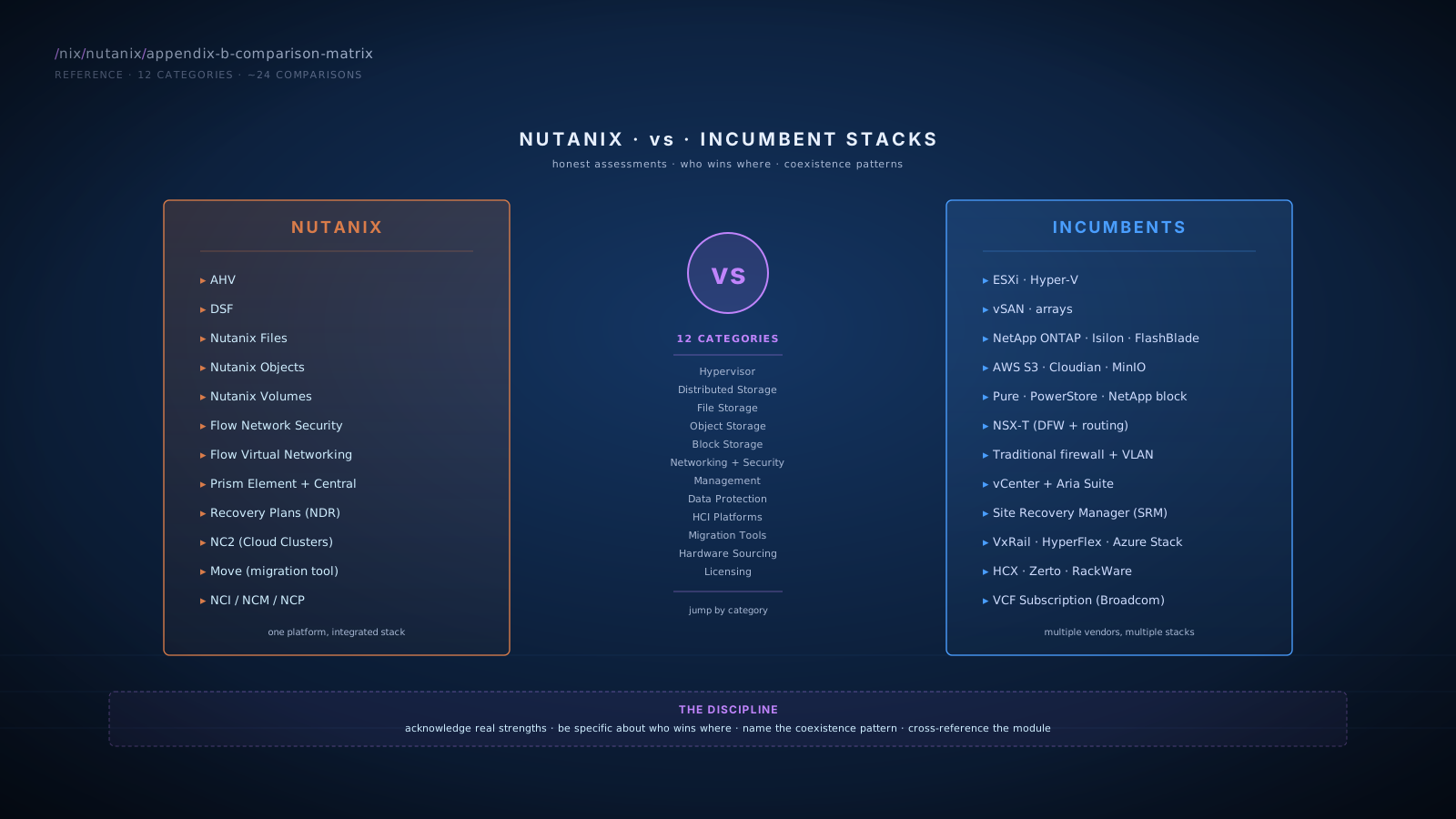
Hypervisor
AHV vs VMware ESXi
Module: Module 3 · AHV (The Hypervisor Question)
| Dimension | AHV | ESXi |
|---|---|---|
| Type | KVM-based, Linux+KVM stack | VMware proprietary |
| Licensing | Included with NCI / AOS, no extra fee | Per-core subscription (post-Broadcom) |
| Management plane | Acropolis services (in-platform) | vCenter (separate appliance) |
| Live migration | Yes (Live Migration) | Yes (vMotion) |
| HA | Yes (Acropolis-driven) | Yes (vSphere HA) |
| DRS-equivalent | Yes (ADS) | Yes (DRS) |
| Live storage migration | Yes (per-VM) | Yes (Storage vMotion) |
| Maximum cluster size | Hundreds of nodes | Thousands of nodes |
| GPU passthrough | Yes | Yes |
| Mature ecosystem | Smaller third-party tooling | Larger third-party tooling |
| Fault Tolerance (zero-downtime) | No direct equivalent | Yes (FT) |
| Storage policies | Per Storage Container (DSF) | Per VM (vSAN SPBM) or array |
AHV vs Microsoft Hyper-V
Module: Module 3 · AHV
| Dimension | AHV | Hyper-V |
|---|---|---|
| Type | KVM-based | Microsoft Type-1 |
| Licensing | Included with NCI / AOS | Bundled with Windows Server Datacenter |
| Management | Acropolis + Prism | SCVMM (System Center VMM) |
| Linux VM support | First-class | Capable but Windows-centric tooling |
| Windows VM support | First-class | First-class with deep AD integration |
| Storage stack | DSF | Storage Spaces Direct or SAN |
| Microsegmentation | Flow Network Security | Network Controller / Defender for Cloud |
Distributed Storage
Nutanix DSF vs VMware vSAN
Module: Module 5 · DSF Deep Dive · Module 1 · HCI Foundations
| Dimension | Nutanix DSF | VMware vSAN |
|---|---|---|
| Architecture | Distributed across CVMs | Distributed in ESXi kernel |
| Storage controller | CVM (separate VM) | Built into ESXi kernel |
| Compute tax | CVM resource consumption (8-16 vCPU, 32-64 GB) | Kernel-mode, lower overhead |
| Replication factor | RF2, RF3 (per Storage Container) | FTT=1, FTT=2, FTT=3 (per storage policy) |
| Erasure coding | EC-X 4+1 / 4+2 | RAID-5 / RAID-6 |
| Compression | Inline, per-container | Inline, per-cluster (limited per-policy) |
| Deduplication | Cache + on-disk (per-container) | Cluster-wide (vSAN ESA) |
| Snapshot model | DSF-native, instant, no I/O penalty | VM-level (older), vSAN snapshot improvements in ESA |
| Cross-hypervisor | Yes (ESXi-on-Nutanix supported) | ESXi only |
| Maximum cluster | ~32-64 (typical Nutanix sweet spot) | Up to 64 per cluster |
| Licensing | Included in NCI / AOS | Bundled into VCF (post-Broadcom) |
| Self-healing | Yes (Curator) | Yes |
Nutanix DSF vs Traditional SAN/NAS Arrays (NetApp, Pure, Dell, etc.)
Module: Module 5 · DSF Deep Dive
| Dimension | DSF (HCI) | Traditional Array |
|---|---|---|
| Hardware | Same as compute | Dedicated array hardware |
| Scaling unit | Node (compute + storage together) | Array shelves, separate from compute |
| Controller | Software (CVM) on every node | Dedicated array controllers (typically 2) |
| Failure tolerance | Distributed across N nodes | Dual-controller within array, replication for site loss |
| Capacity expansion | Add nodes | Add shelves to existing controller |
| Compute expansion | Add nodes (storage included) | Add servers separately |
| Refresh cycle | One platform refresh | Compute and storage separate cycles |
| Tail latency | Modest (network round-trips for replication) | Lowest (within-controller backplane) |
| Sequential throughput ceiling | Node-count dependent | Controller-bound |
| Maturity in extreme niches | Younger | Decades of optimization |
File Storage
Nutanix Files vs NetApp ONTAP
Module: Module 8 · Unified Storage
| Dimension | Nutanix Files | NetApp ONTAP |
|---|---|---|
| Architecture | FSVMs on Nutanix cluster | Dedicated controllers |
| Protocols | SMB 2.x/3.x, NFS v3/v4 | SMB, NFS, plus protocols (FCP, iSCSI, NVMe) |
| AD integration | Full (Kerberos, ACLs, ABE) | Full, mature |
| Snapshot maturity | DSF-native, fast | Mature, multiple types |
| FlexClone (file-level cloning) | Snapshot-based; not exact match | Yes, mature |
| FlexCache (distributed caching) | No direct equivalent | Yes |
| ABE (Access-Based Enumeration) | Yes | Yes, more refined options |
| Quotas | Yes, share or directory | Yes, mature multi-level |
| Replication | Files Replication (Nutanix) | SnapMirror (mature, many policies) |
| Anti-ransomware | Real-time pattern detection | Available; less mature |
| Self-Service Restore | Yes (Windows Previous Versions) | Yes |
| Files Analytics | Built-in, good | OnCommand Insight (separate product) |
| Years of maturity | ~5+ years | 30+ years |
Nutanix Files vs Dell PowerScale (Isilon)
Module: Module 8 · Unified Storage
| Dimension | Nutanix Files | PowerScale (Isilon) |
|---|---|---|
| Target market | General enterprise file | High-performance NAS, HPC, media |
| Scale | Up to many FSVMs per File Server | Massive (hundreds of nodes per cluster) |
| Throughput at scale | Good for typical enterprise | Higher ceiling for HPC workloads |
| OneFS protocols | n/a | Unified namespace, multi-protocol |
| Specialty: media workflows | Capable | Industry-leading |
| Specialty: HPC | No | Strong |
| Operational integration | Part of Nutanix platform | Standalone NAS |
Nutanix Files vs Pure FlashBlade
Module: Module 8 · Unified Storage
| Dimension | Nutanix Files | Pure FlashBlade |
|---|---|---|
| Architecture | FSVMs on Nutanix | All-flash NAS appliance |
| Performance ceiling | High | Higher (specialized hardware) |
| Multi-protocol | SMB, NFS | NFS, S3, plus block (FlashBlade//S) |
| Object services | Separate (Nutanix Objects) | Unified with file (FlashBlade) |
| HPC suitability | Limited | Strong |
| Operational integration | Part of Nutanix platform | Standalone |
Object Storage
Nutanix Objects vs AWS S3
Module: Module 8 · Unified Storage
| Dimension | Nutanix Objects | AWS S3 |
|---|---|---|
| API | S3-compatible | S3 (the standard) |
| Pricing model | Customer-owned cluster (capex/subscription) | Cloud consumption (per GB, plus requests, plus egress) |
| Maximum scale | Cluster scale | Effectively unlimited (cloud) |
| Ecosystem maturity | Growing; broad S3-tool compatibility | Largest; AWS-specific features (S3 Select, Glacier deep archive) |
| Egress cost | None on local network | Yes (AWS egress fees) |
| Latency | LAN | Internet/cloud-egress dependent |
| Compliance / WORM | Yes | Yes (S3 Object Lock) |
| Replication to AWS S3 | Yes (Objects-to-S3) | n/a |
Nutanix Objects vs Cloudian / Scality / MinIO / NetApp StorageGRID
Module: Module 8 · Unified Storage
| Dimension | Nutanix Objects | Cloudian / Scality / MinIO / StorageGRID |
|---|---|---|
| API compatibility | S3-compatible | S3-compatible |
| Architecture | Object Service VMs on Nutanix | Dedicated object-storage software (sometimes appliance) |
| Hardware | Same Nutanix cluster as compute | Often dedicated infrastructure |
| Operational integration | Part of Nutanix platform | Separate product |
| Multi-tenancy | Yes (Object Stores, IAM-style) | Yes |
| WORM compliance | Yes | Yes |
| Years of maturity | ~5+ years | 10+ years (some) |
Block Storage
Nutanix Volumes vs Purpose-Built iSCSI Arrays (Pure, Dell PowerStore, NetApp block)
Module: Module 8 · Unified Storage
| Dimension | Nutanix Volumes | Purpose-Built iSCSI Array |
|---|---|---|
| Target consumer | External hosts (physical, non-Nutanix VMs) | Various (often vSphere, physical hosts) |
| Hardware | Same Nutanix cluster | Dedicated array |
| Multipathing | Multiple iSCSI portal IPs | Multiple controller paths |
| Maximum IOPS at extreme scale | High but cluster-bound | Highest (specialized hardware) |
| Tail latency at extremes | Low single-digit ms | Sub-millisecond on all-flash |
| Operational integration | Part of Nutanix platform | Standalone |
| Use case fit | Bare-metal Oracle, legacy iSCSI, Linux DBs | Dedicated block requirements, performance-critical |
Networking and Security
Flow Network Security vs VMware NSX-T (Distributed Firewall)
Module: Module 6 · Networking and Microsegmentation
| Dimension | Flow Network Security | NSX-T (Distributed Firewall) |
|---|---|---|
| Policy model | Category-driven | Tag-based or IP-based |
| Stateful firewall | Yes | Yes |
| Distributed enforcement | Yes (OVS flow rules) | Yes (kernel module) |
| Identity-based rules | Limited | Yes (deep AD integration) |
| Maturity | ~5+ years | 10+ years |
| Licensing | NCI Ultimate, or Security Add-On for NCI Pro (per usable TiB) | Separate NSX-T per-CPU or per-workload subscription |
| Integration with VMs | Native AHV (and ESXi-on-Nutanix) | Native ESXi |
| Third-party security ecosystem | Service insertion (Palo Alto, Check Point, Fortinet) | Mature partner ecosystem |
Flow Virtual Networking vs VMware NSX-T (Routing and Edge Services)
Module: Module 6 · Networking and Microsegmentation
| Dimension | Flow Virtual Networking | NSX-T (Routing/Edge) |
|---|---|---|
| VPC overlay | Yes | Yes |
| Distributed routing | Yes (basic) | Yes (mature) |
| BGP integration | Yes | Yes (deep) |
| OSPF / dynamic routing | Limited | Yes |
| Edge services (LB, NAT, gateway FW) | Limited (service insertion for advanced) | Yes (mature) |
| L2VPN | No | Yes |
| Federation (multi-site policy) | Increasing | Yes (mature) |
| Years of maturity | ~3 years | 10+ years |
Flow vs Traditional Firewall + VLAN Approach
Module: Module 6 · Networking and Microsegmentation
| Dimension | Flow Network Security | Traditional Firewall + VLAN |
|---|---|---|
| Granularity | Per-VM, category-driven | Per-network/subnet |
| Lateral movement protection | Yes (stateful, distributed) | Limited (perimeter focus) |
| Operational complexity | Policy-as-code (categories) | Network reconfiguration per change |
| Performance impact | Minimal (OVS flow rules) | Variable (firewall device) |
| Audit trail | Centralized in Prism | Spread across firewalls |
Management
Prism Central vs vCenter + Aria Suite
Module: Module 4 · Prism (Element and Central)
| Dimension | Prism Central + NCM | vCenter + Aria |
|---|---|---|
| Single management product | Yes | No (vCenter + Aria Operations + Aria Automation + vSphere LCM) |
| Multi-cluster scope | Yes | vCenter Linked Mode + Aria Federation |
| Categories / tags | First-class policy keys | Tags (less integrated with policy) |
| Self-service automation | Self-Service (formerly Calm) | Aria Automation |
| Capacity analytics | Intelligent Operations (NCM Pro) | Aria Operations |
| Lifecycle management | LCM (integrated, multi-component) | vSphere LCM (vSphere-focused) |
| Cross-vendor analytics | Limited | Aria Operations covers more vendors |
| Licensing | NCM tiers (Starter / Pro / Ultimate) | Aria Suite or VCF bundles |
NCM vs VMware Aria Suite
Module: Module 4 · Module 9 · Licensing
| Capability | Where in Nutanix | Aria Product |
|---|---|---|
| Basic multi-cluster mgmt, Categories, Projects, RBAC, v4 API | Included with NCI baseline (no NCM required) | vCenter Linked Mode |
| Capacity analytics, anomaly detection | NCM Pro (Intelligent Operations) | Aria Operations |
| Application blueprints | NCM Ultimate (Self-Service, formerly Calm) | Aria Automation |
| Event-driven automation | NCM Ultimate (X-Play) | Aria Automation |
| Cost governance | NCM Ultimate | Aria Cost (CloudHealth) |
| Log management | Integration with external SIEM | Aria Operations for Logs |
Data Protection
Recovery Plans (NDR / formerly Leap) vs VMware Site Recovery Manager (SRM)
Module: Module 7 · Data Protection and DR
| Dimension | Recovery Plans | SRM |
|---|---|---|
| Hypervisor | AHV (and ESXi-on-Nutanix) | ESXi only |
| Replication source | Nutanix native (Async / NearSync / Metro) | vSphere Replication or array-based |
| Test failover | Yes | Yes (mature) |
| Runbook customization | Capable | Mature, deeply customizable |
| Cross-vendor | Nutanix-centric | Multi-vendor (storage arrays, etc.) |
| Licensing | Bundled with NCM tier | Separate product |
| Years of maturity | ~5+ years | 15+ years |
| Reporting | Improving | Mature |
Nutanix Replication Modes (Async vs NearSync vs Metro)
Module: Module 7 · Data Protection and DR
| Dimension | Async | NearSync | Metro Availability |
|---|---|---|---|
| RPO | 1+ hour typical, 15 min minimum in some configs | 20s to 15 min | 0 (synchronous) |
| RTO | Recovery time + boot | Same | Failover to standby (or active-active) |
| Latency requirement | Any (WAN OK) | <5 ms RTT typical | <5 ms RTT |
| Bandwidth | Change-rate proportional | Continuous, scales with write rate | Full write throughput |
| Cluster overhead | Low | Moderate to high | High |
| Witness required | No | No | Yes (third site) |
| Use case | General DR, ROBO | Tier-1 production | Mission-critical, zero-RPO compliance |
Nutanix NC2 vs VMware Cloud (VMC on AWS)
Module: Module 7 · Data Protection and DR
| Dimension | NC2 | VMware Cloud (VMC) |
|---|---|---|
| Cloud platforms | AWS, Azure | AWS (primary), Google Cloud, Azure |
| Pricing | Bare-metal + Nutanix subscription | Per-node subscription |
| Replication from on-prem | Native (Async / NearSync / Metro to NC2) | vSphere Replication, HCX |
| DR usage | Replicate to NC2 cluster, fail over | Replicate to VMC SDDC, fail over |
| Hibernation | Some configurations support spin-down | Some configurations |
| Same platform on-prem and cloud | Yes (Nutanix on both) | Yes (vSphere on both) |
| Years of availability | ~3+ years (NC2) | ~7+ years (VMC) |
HCI Platforms
Nutanix vs Dell VxRail
Module: Module 1 · HCI Foundations · Module 9 · Licensing
| Dimension | Nutanix | VxRail |
|---|---|---|
| Hypervisor | AHV native; ESXi supported | ESXi only |
| Storage | DSF | vSAN |
| Hardware | Multi-vendor (NX, OEM, HCIR) | Dell hardware required |
| Software stack | Nutanix-controlled | VMware-controlled (with Dell hardware integration) |
| Management | Prism Central | vCenter + VxRail Manager |
| Cross-hypervisor | Yes | No |
| Single-throat-to-choke | Nutanix (NX) or joint (OEM) | Dell-VMware joint |
| Migration in/out | Move (in); standard tools (out) | Standard VMware tools |
Nutanix vs Cisco HyperFlex
Module: Module 1 · HCI Foundations
| Dimension | Nutanix | HyperFlex |
|---|---|---|
| Storage | DSF | HX Data Platform (Cisco-developed) |
| Hardware | Multi-vendor | Cisco UCS only |
| Hypervisor | AHV, ESXi-on-Nutanix | ESXi (Hyper-V option) |
| Networking | Standard switching | Tightly integrated with Cisco UCS networking |
| Market traction | Strong | Cisco HyperFlex EOL: last order Sep 11, 2024; last bug-fix support Sep 11, 2025; final subscription renewal Feb 28, 2029 |
Nutanix vs Microsoft Azure Stack HCI
Module: Module 1 · HCI Foundations
| Dimension | Nutanix | Azure Stack HCI |
|---|---|---|
| Hypervisor | AHV (or ESXi) | Hyper-V |
| Storage | DSF | Storage Spaces Direct |
| Cloud integration | NC2 (AWS / Azure) | Azure-native (deep) |
| Management | Prism Central | Windows Admin Center / Azure portal |
| Microsoft ecosystem fit | Standard integrations | Deep (AD, Entra, etc.) |
| Linux workload support | First-class | Capable but Windows-centric |
Migration Tools
Nutanix Move vs Alternatives (HCX, Zerto, RackWare)
Module: Module 10 · Migration Path
| Dimension | Nutanix Move | VMware HCX | Zerto | RackWare |
|---|---|---|---|---|
| Source platforms | ESXi, Hyper-V, AWS, Azure, AHV | ESXi (in/out of VMC) | ESXi, Hyper-V, AWS, Azure, others | ESXi, Hyper-V, AWS, Azure, physical |
| Target platforms | AHV, NC2 | ESXi, VMC | ESXi, AWS, Azure, others | ESXi, AHV, AWS, Azure, others |
| Cutover model | Brief planned (5-30 min) | Live or scheduled | Continuous replication, brief cutover | Brief cutover |
| Bundled with platform | Yes (Nutanix) | Yes (with VMC subscription) | Separate product | Separate product |
| Free | Yes | Yes (with VMC) | No | No |
| Complexity for typical migration | Low | Moderate | Moderate | Moderate |
Hardware Sourcing
NX vs OEM vs HCIR (Software-Only)
Module: Module 9 · Licensing
| Dimension | NX (Nutanix-branded) | OEM (Dell XC, Lenovo HX, HPE DX, Cisco UCS) | HCIR (Software-Only) |
|---|---|---|---|
| Hardware vendor | Nutanix (Super Micro mfg) | Dell / Lenovo / HPE / Cisco | Customer choice (HCL-compliant) |
| Support model | Single-vendor (Nutanix) | Joint Nutanix + OEM | Multi-vendor (customer manages) |
| Validation | Tightly Nutanix-controlled | Validated by Nutanix + OEM | HCL-compliance |
| Existing relationship | New (if not already) | Preserves vendor relationship | Maximum flexibility |
| Cost flexibility | Standardized | Standard with OEM negotiation | Most flexible |
| Ideal for | One-vendor preference | Existing server-vendor relationships | Custom hardware, software-control preference |
Licensing
Nutanix NCI Subscription (formerly AOS) vs VMware VCF Subscription
Module: Module 9 · Licensing
| Dimension | NCI Subscription (formerly AOS) | VCF Subscription |
|---|---|---|
| Licensing model | Per-core | Per-core (post-Broadcom) |
| Hypervisor | AHV included at every tier | vSphere included |
| Distributed storage | DSF included | vSAN included |
| Networking | Flow Network Security with NCI Ultimate (or Security Add-On for NCI Pro, per usable TiB) | NSX-T included in VCF |
| Management | Prism Element / Prism Central included; advanced features via NCM tier (separate paid SKU) | Aria included with VCF |
| Term | 1, 3, 5 year | 1-year, 3-year |
| Minimum cores per CPU | 1-core minimum typical | 16-core minimum (Broadcom) |
| Order minimum | Negotiated per deal | 72-core order minimum (Broadcom, post-2025) |
| True-up | Standard provision | Standard provision |
| Perpetual option | Limited | Largely deprecated post-Broadcom |
| Reference price (April 2026) | Negotiated; check BlueAlly pricing tools | vSphere Foundation ~$190/core MSRP; VCF ~$350/core MSRP (down from $700) |
How to Use This Matrix in Customer Conversations
When a customer mentions a competitor:
- Find the relevant section in this matrix.
- Read the honest assessment before responding. The disposition you bring matters as much as the facts.
- Acknowledge real strengths on the competitor side. Customers respect honesty.
- Be specific about who wins where. Avoid generic claims.
- Name the coexistence pattern if applicable.
- Cross-reference to the module for the deeper conversation.
- Propose concrete next steps (POC, workload mapping, TCO analysis) when appropriate.
The matrix is a reference, not a script. The SA-chair conversation is yours to have. The matrix gives you the facts to have it well.
References
The comparisons in this appendix are derived from the per-module References sections (Modules 1, 3-9). Highlights specific to the comparison matrix:
- Cisco HyperFlex End-of-Life Announcement. Authoritative HXDP EOL dates (last order Sep 11, 2024; last support Feb 28, 2029).
- Cisco Discontinues HyperFlex to Focus on Nutanix-Based HCI (Futurum Group). Industry analysis of the HyperFlex-to-Nutanix migration path.
- Nutanix Cloud Platform Software Options. NCI / NCM / NCP licensing structure used in the licensing comparison and the NCM-vs-Aria mapping.
- VCF Licensing Guide 2026 (Redress Compliance). VCF reference pricing ($350/core, 16-core CPU minimum, 72-core order minimum) used in the AOS-vs-VCF licensing row.
- vSphere Foundation vs Standard 2026. vSphere Foundation MSRP $190/core, partner quotes $195+.
- Flow Network Security Licensing. Confirms Flow ships with NCI Ultimate or as Security Add-On for NCI Pro (per usable TiB; bundles Data-at-Rest Encryption).
- Nutanix Disaster Recovery (formerly Leap), Nutanix Bible Chapter 13a. Recovery Plans architecture for the SRM comparison row.
Cross-References
- Modules: Each comparison links back to the module where the topic is taught in depth.
- Glossary: Appendix A defines the terms used in this matrix.
- Objections: Appendix D has full response scripts for the customer objections that often surface during these comparisons. live now
- Discovery Questions: Appendix E has the discovery questions that help you understand which comparison the customer is actually making. live now
- Competitive Matrix: Appendix H goes deeper on specific HCI-vs-HCI competitive scenarios. live now