The Promise
By the end of this module you will:
- Draw a Nutanix deployment on a whiteboard, top to bottom, in 90 seconds. No prompting. The kind of drawing that wins customer credibility in the first 10 minutes of a meeting.
- Explain the Controller VM (CVM): what it is, why it's there, and what it costs. Use language a senior VMware admin will believe. The CVM is the single most important architectural decision in the entire product. It is also the most common technical objection you will hear. You need this cold.
- Pass roughly 22% of NCA and 18% of NCP-MCI. The architectural fundamentals (node, cluster, CVM, data locality, Foundation, LCM, NCC) show up across nearly every exam domain. Master this module and the rest of cert prep gets dramatically easier.
- Handle the four most common technical objections about Nutanix architecture: the CVM tax, the vSAN comparison, "what happens when the CVM fails," and "why can't I just put it on my existing servers." Each has a clean, honest, customer-credible answer. By the end of this module you will have all four.
This is the bone structure of the platform. Everything in Modules 3 through 10 hangs off it. If Module 1 was the category, this is the product.
Foundation: What You Already Know
Picture an ESXi host. It is a physical server: a motherboard, two sockets, RAM, NICs, a couple of M.2 boot devices, and a place where it gets its storage from (an HBA pointing at a SAN, or in some cases, local disks for vSAN).
ESXi is the hypervisor. It runs on the metal. It schedules CPU, allocates memory, presents virtual hardware to VMs, and talks to whatever storage it has been given.
vCenter is somewhere else. It is software (a vCenter Server Appliance, or VCSA) that runs as a VM and aggregates many ESXi hosts into a cluster, exposing one management plane.
Hold that picture. We are about to change three things:
- The hypervisor might not be ESXi. It could be AHV, Nutanix's own KVM-based hypervisor (Module 3 goes deep on that).
- There is a second VM running on every host whose job is to own storage. This is the CVM.
- The "shared storage" the hypervisor sees is not a SAN. It is the local disks of every node in the cluster, presented as one logical pool by the CVMs cooperating with each other.
That is Nutanix architecture in three sentences. The rest of this module unpacks it, builds the fence around it, and arms you to defend it.
Core Content
The Node
A Nutanix node is a physical x86 server. That is it. It has CPUs, RAM, NICs, and disks. The disks are local: NVMe and SSD typically, sometimes with an HDD tier on older hardware (rare in 2026). The NICs are 10/25/100 GbE.
If you took the lid off a Nutanix node and compared it to an ESXi host, you would not see anything visually different. Same chassis, same components, same form factor. Nutanix sells appliances (the NX line, NX-3000, NX-8000, NX-9000 series), but the platform also runs on Dell (XC), HPE (DX), Cisco (UCS), Lenovo (HX), Supermicro, and others. Many customers run Nutanix on hardware they were already buying for VMware.
What makes the node a Nutanix node is the software stack that gets installed on it.
What's Running on a Single Node
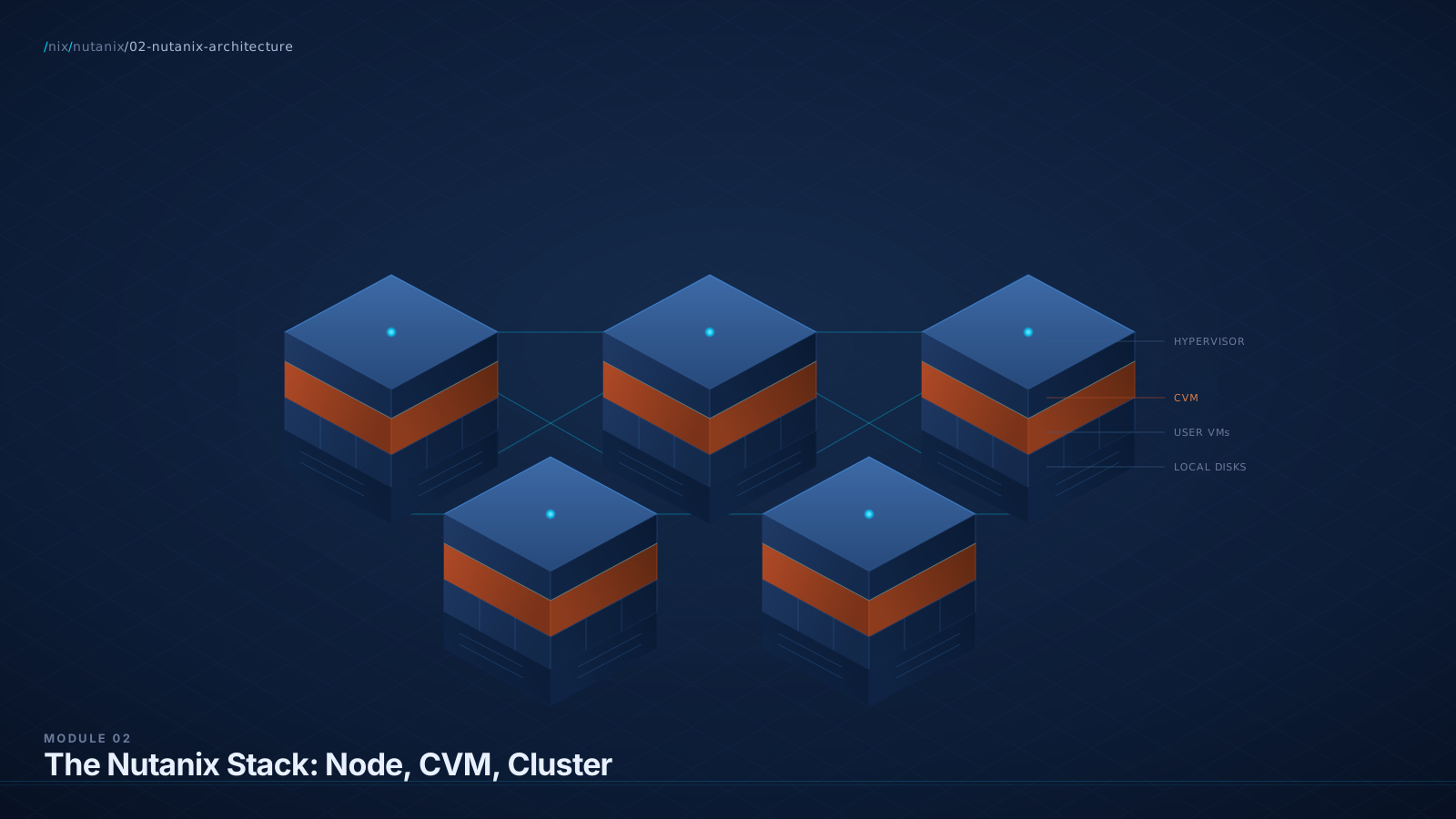
On a single Nutanix node, three things run:
- A hypervisor. This is AHV (Nutanix's own, KVM-based) or ESXi or Hyper-V. The hypervisor sits directly on the metal.
- The Controller VM (CVM). This is a privileged virtual machine that runs on top of the hypervisor on every node, no exceptions. The CVM owns storage. This is the architectural lever.
- Your user VMs. Whatever workloads you actually care about. They run on the hypervisor alongside the CVM.
That third item should provoke a question: if the CVM and my user VMs are both running on the same hypervisor, doesn't the CVM steal my CPU and RAM?
Yes. Nutanix reserves cores and RAM for the CVM. On a typical 2026 node this is 8 to 12 vCPUs and 32 to 48 GB of RAM, scaling with feature set (more is required when you enable deduplication, capacity tiers, or NCM Intelligent Operations on-cluster). This is one of the genuine costs of the architecture and you should know about it before you read about it on Reddit. We will spend an entire section on this honestly. It deserves it.
Diagram: Anatomy of a Nutanix Node
The CVM Is the Whole Argument
This is the section that, if you internalize it, makes everything else click.
The Controller VM is a Linux VM that runs on every Nutanix node. It is not optional. It is not configurable away. It is part of the platform. When a Nutanix node boots, the hypervisor comes up first, then the CVM auto-starts, then the cluster forms, then user VMs can run.
The CVM owns the local disks of its node. The hypervisor passes them through (via PCIe passthrough or controller passthrough or similar mechanisms, depending on hypervisor and configuration). From the hypervisor's point of view, those disks are not its problem. The CVM has them.
The CVMs across all nodes communicate over the network. Together, they implement the Distributed Storage Fabric (DSF). Module 5 goes deep on DSF. For now, treat DSF as: the software running inside the CVMs that takes all the local disks across all nodes and presents them as one logical storage pool.
When a user VM writes data, here is what happens:
- The user VM issues a write to its virtual disk (which the hypervisor presents as a block device).
- The hypervisor sees the write going to what it thinks is shared storage. In AHV, this is presented over an internal interface; in ESXi, it shows up as an NFS datastore presented by the local CVM.
- The write actually arrives at the CVM, on the same physical box as the user VM.
- The CVM writes one copy locally, this is data locality, and one copy to a CVM on another node (this is replication, the basis of RF2).
- Acknowledgment goes back up the chain.
The user VM does not know any of this happened. To it, this is just disk I/O.
The Cycle, Frame Two: The CVM as a "Storage Controller in Software"
Step back and look at this architecturally. In the three-tier world, your storage array has controllers. Those controllers are servers running storage software. They cost money, they consume rack units, they need their own power and cooling, they need their own firmware management, they have their own support contract.
Nutanix asked: what if instead of buying separate storage controller hardware, we just ran the controller as a VM on the same servers we already have? Same CPUs, same RAM, same chassis. We pay a tax (the CVM consumes resources), but we eliminate an entire class of hardware and an entire class of dedicated controller management.
That is the trade. It is a real trade. There are workloads where you would rather have dedicated controllers (we covered those in Module 1). For most workloads, the trade is favorable: the cost of the CVM is less than the cost of separate array hardware, and the operational simplification is substantial.
The Cycle, Frame Three: The CVM as the Boundary of the System
Here is a third way to think about it, useful for troubleshooting. The CVM is the boundary between your stuff and Nutanix's stuff. Above the CVM, on each node, are your VMs and your hypervisor. Below the CVM, on each node, are the raw disks. Across the network, between CVMs, is the DSF.
When something goes wrong in storage, you do not go to a separate device. You SSH into a CVM. You run cluster commands. You look at logs in /home/nutanix/data/logs/. Storage troubleshooting all happens at the CVM level.
This is genuinely different from a SAN, where you would SSH into the array, into a fundamentally different operating system, with its own CLI and its own troubleshooting language. Here it is Linux. With NCC (Nutanix Cluster Check) commands and Nutanix-specific tools, but Linux underneath.
The Cycle, Frame Four: The CVM as a Distributed Storage Daemon Set
For the technically-inclined customer, here is the cleanest framing. The CVM runs a set of cooperating Linux services. The important ones, by name:
- Stargate. The data path. Every read and write hits Stargate. If Stargate on a node fails, that node's I/O is redirected to other CVMs.
- Cassandra. Distributed metadata store (a forked, optimized version of Apache Cassandra). Tracks where every block of every vDisk lives.
- Curator. The background scrubber. Runs periodic full and partial scans, rebalances data, handles deduplication/compression/tiering, drives ILM (information lifecycle management).
- Zeus. Cluster configuration and quorum management (built on Apache ZooKeeper). The cluster's source of truth for what nodes exist, what services are healthy, who is the master for various roles.
- Pithos. vDisk configuration manager. Tracks every vDisk's properties and where its replicas should live.
- Acropolis. When running AHV, this is the VM lifecycle / HA / scheduling service. (On ESXi, this responsibility stays with vCenter and ESXi.)
You will see these names in NCC output, log files, and (occasionally) in customer-troubleshooting calls. You don't need to memorize implementation details. You do need to recognize the names and know what each does.
Diagram: CVM Services Architecture
Data Locality (The Concept That Matters Operationally)
Nutanix marketing leans hard on the term "data locality." You should understand what it actually means and what it actually does, because it comes up on the exam, in customer conversations, and in real performance discussions.
Definition: When a VM writes data, one copy of that data is written to the local disks of the node where the VM is running. The other copy (or two, for RF3) goes to other nodes for replication. As long as the VM stays on its node, future reads come from local disk, no network hop.
Why this matters: Reading from local NVMe is faster than reading from a peer CVM over the network. Specifically: local NVMe reads are sub-100µs; network-traversed reads (even on 25/100GbE) add a few hundred microseconds. For most workloads this is invisible. For high-IOPS, low-latency workloads, it's measurable.
When data locality matters less: When the cluster is balanced and reads are well cached, the network overhead for non-local reads is small. AOS extensively caches metadata and frequently-read blocks in CVM RAM (the Content Cache).
What happens on vMotion / live migration: When a VM moves to a different node, its data does not immediately follow. The VM reads from the original node over the network until Curator (the background service) decides it's worth migrating the data to be local again. This happens automatically over time.
The CVM Tax: The Honest Section
This is the section that every BlueAlly SA needs cold. The CVM consumes resources. Customers will ask. You answer with numbers, not adjectives.
What the CVM consumes (typical defaults, AOS 7.5 generation):
| Resource | Minimum (basic features) | Typical (with dedup, EC, NCM-IO) | Heavy (large clusters) |
|---|---|---|---|
| vCPU | 8 | 12 | 14-16 |
| RAM | 32 GB | 48 GB | 64+ GB |
| Boot/system storage | ~40 GB | ~40 GB | ~40 GB |
Aggregate cluster overhead: On a 4-node cluster with typical CVM sizing (12 vCPU / 48 GB), the CVMs collectively consume 48 vCPUs and 192 GB of RAM that would otherwise be available for workloads. On a 16-node cluster, that's 192 vCPUs and 768 GB.
That number sounds large. It is large. It is also smaller than the cost of dedicated storage controllers, dedicated array RAM, and dedicated array CPUs in an equivalent three-tier deployment, which the customer is currently paying for, just on different hardware.
The honest framing for customers:
"The CVM does consume real CPU and RAM on every node. Roughly 12 vCPUs and 48 GB per node, depending on what features you enable. That's the cost of having the storage controller run as software on the same hardware. In exchange, you eliminate the array's controller hardware, controller licensing, controller-to-storage fabric, and a vendor relationship. For most workloads, the math works. For some workloads it does not, and we can talk about which is which."
That answer wins more rooms than any feature comparison.
The Cluster
A Nutanix cluster is a set of nodes (minimum three for production; one is allowed for Community Edition home-lab use only; two-node clusters exist for ROBO with a witness VM) running together as a single unit. The cluster is the smallest functional thing in Nutanix. You do not deploy a single Nutanix node and use it. You deploy a cluster.
A cluster has:
- A shared identity. A cluster name, a Cluster Virtual IP (VIP), a Prism Element URL.
- A shared storage pool. The DSF, made from the union of all nodes' local disks.
- Shared cluster services. DNS, NTP, alerting, snapshot scheduling, NCC health checks.
- A consensus mechanism among the CVMs (Zeus / ZooKeeper) that keeps them coordinated. This is why you need three CVMs minimum for production: consensus protocols need an odd-numbered quorum.
The cluster is what gets registered to Prism Central (Module 4). The cluster is what your VMs run on. The cluster is what you upgrade as a single unit (LCM, below).
Diagram: Cluster Topology
The Block (Mostly Historical)
A "block" in Nutanix vocabulary is a physical chassis that contains one to four nodes. Early Nutanix appliances (NX-3000 series) were 2U chassis with four nodes each, the whole chassis was a "block." The point was dense compute: four servers in 2U.
Modern Nutanix deployments often run on standard 1U or 2U servers from Dell, HPE, etc., where the chassis contains a single node. In these cases, "block" and "node" become the same thing, and the term loses much of its meaning.
You will still see "block awareness" referenced in fault-domain configuration: the cluster can be configured to ensure that data replicas land on nodes in different blocks, so that a chassis failure (rare but possible) does not cost you data. On modern hardware where one node equals one block, block awareness is automatic and uninteresting.
You do not need to think about blocks much. Nodes and clusters are what matter. But know the term, because it will appear on the NCA exam.
Foundation, LCM, and NCC: The Operational Trio
Three named tools you must know cold. They are how Nutanix gets deployed (Foundation), upgraded (LCM), and kept healthy (NCC). All three appear in the cert blueprints and all three come up in customer conversations about operational maturity.
Foundation, the deployment / imaging tool.
Foundation is the bare-metal deployment tool. You point it at a set of nodes (powered on, with a baseboard management controller, IPMI/iDRAC/iLO, accessible) and it images them, installs the hypervisor, installs the CVM, and forms a cluster. This is the day-zero tool.
Foundation runs as either a standalone application (Foundation Standalone, runs on a laptop) or embedded in the AOS image (Foundation Central, runs on a Prism Central instance for fleet-scale deployment). For a single cluster deployment, Foundation Standalone is sufficient and what most field deployments use.
Concrete: to image three new nodes into a 3-node cluster, you launch Foundation, give it the IPMI/iLO/iDRAC IPs of the nodes plus the desired cluster IPs, point it at the AOS and AHV images, and walk away for ~45-60 minutes. At the end you have a working cluster.
LCM, Life Cycle Manager. The day-two tool.
LCM is one-click upgrade. You log into Prism Central (or Prism Element), navigate to LCM, and it scans the cluster for current versions of every upgradeable component: AOS, AHV, BIOS, BMC, NIC firmware, drive firmware, NCC, Foundation, Files, Objects, Volumes, NKE, NCM, and on. It then offers a coordinated, ordered upgrade that maintains cluster availability throughout.
This is genuinely a Nutanix strength. The customer comparison: in three-tier, you upgrade vCenter on its schedule, ESXi hosts on theirs, the array firmware on its schedule, the SAN switch on its schedule, the OS on each through Update Manager, usually with separate change windows, separate runbooks, separate vendor coordination. LCM collapses this into one workflow with dependencies handled.
Limitations to know: LCM is opinionated. It will not let you upgrade to a combination of versions that hasn't been validated. This is generally a feature, not a bug, but it does mean "I want to upgrade AOS but stay on the older AHV" is sometimes constrained. Always check the LCM dashboard for current compatibility.
NCC, Nutanix Cluster Check. The health-check tool.
NCC is a suite of health and diagnostic checks (currently several hundred individual checks). It runs on a schedule and can also be invoked on-demand. It catches issues across hardware health, cluster configuration, network, storage, replication, and feature-specific checks (e.g., NKE-specific or Files-specific checks).
Run from Prism, from the CVM CLI as ncc health_checks run_all, or specifically as ncc health_checks <category> <check_name>. Output is a report with PASS / WARN / FAIL / INFO per check.
In production, NCC runs daily by default and emails findings. In troubleshooting, you run it on-demand. In support cases, Nutanix will often ask you to attach NCC output to the ticket. In NCM-MCI exam labs, NCC is the first tool you reach for to diagnose a failing cluster.
What Happens When the CVM Fails
A real, common customer question. Here is the answer, with the right level of detail.
On a single CVM failure (one node's CVM crashes or is upgrading):
- The hypervisor on that node detects the loss of its local CVM.
- AOS reroutes that node's I/O to a remote CVM (over the network). This is called autopath (or, in newer AOS, the I/O simply uses the standard cluster mechanisms, same outcome).
- User VMs on that node continue running. Performance degrades slightly because their I/O now traverses the network instead of going local.
- When the CVM recovers, I/O routes back to local.
On a node failure (the entire physical node, including its CVM, goes down):
- AHV / Acropolis (or vSphere HA, if running ESXi) restarts the failed node's VMs on surviving nodes.
- The cluster has lost one replica of any data that was uniquely on that node's disks. AOS / Curator immediately starts re-replicating from surviving copies to restore RF2 (or RF3). This is the cluster's self-healing.
- The cluster runs at reduced redundancy until re-replication completes (minutes to hours, depending on cluster size and data volume).
On multiple simultaneous failures:
- RF2 cluster, two simultaneous node losses: data loss is possible. (This is why RF3 exists.)
- RF3 cluster, two simultaneous node losses: cluster survives, no data loss. Re-replication restores RF3.
- Larger failure scenarios: see Module 7 on data protection.
Lab Exercise: Stand Up a 3-Node CE Cluster
Prerequisites: Either three physical machines OR a host capable of running three nested CE VMs (96+ GB RAM recommended for nested).
Steps (nested approach, on VMware Workstation or ESXi):
- Provision three CE VMs. Each: 4 vCPU minimum, 32 GB RAM, expose hardware-assisted virtualization, VMXNET3 NIC, all promiscuous-mode-style settings enabled. Each VM gets its own boot disk + hot tier SSD-backed disk (200 GB minimum) + cold tier disk (500 GB minimum).
- Boot each from the CE ISO. Run the installer on each. Set the CVM IP, hypervisor IP, gateway, and netmask for each node. Critical: all three nodes must be on the same subnet (or at least L2-adjacent for the cluster to form).
- After install on all three, SSH into the first node's CVM as
nutanix(default passwordnutanix/4u). - Form the cluster:
cluster -s <node1_cvm_ip>,<node2_cvm_ip>,<node3_cvm_ip> create
This may take 5-15 minutes. Watch the output. - Verify cluster health:
cluster status
ncli cluster info
ncc health_checks run_all
- Set the Cluster Virtual IP via Prism Element (or
ncli cluster set-external-ip-address external-ip-address=<vip>). - Connect to Prism Element at
https://<vip>:9440. You should see all three nodes in the Hardware view. The Storage view should show one Storage Pool with the aggregated capacity from all three.
What to do once it's up:
- Open the Hardware view in Prism. You should see three nodes and three CVMs.
- Open Cluster Details. Note the AOS version, AHV version, and the Cluster VIP.
- Open the Storage view. Find the default Storage Pool. Note that it is the union of all three nodes' disks.
- Run
ncc health_checks run_allfrom any CVM and read the output. Identify a few of the categories. - Reboot one of the CVMs (
sudo rebootfrom inside the CVM). Watch what happens in Prism. Note the alerts, watch the cluster's automatic recovery. - Open LCM. Even if no upgrades are pending, click into LCM and look at the inventory it generates. This is what you'll demo to customers.
Optional stretch:
- Power off a node entirely and watch the cluster's response. RF2 should kick in; you'll see a "data resiliency" alert. Power the node back on.
- Use Foundation Standalone (download separately) to image a fourth node into a different cluster, just to see Foundation in action.
Practice Questions
Twelve questions. Six knowledge MCQ (NCA-style), four scenario MCQ (NCP-MCI-style), two open-ended NCX-MCI-style design questions.
Which of the following best describes the Controller VM (CVM) in a Nutanix cluster?
Why B
The CVM is a per-node, mandatory, privileged Linux VM that owns the local disks and cooperates with peer CVMs over the network to present a single distributed storage pool.
Why not the others
- A) Wrong on two counts: the CVM is not optional, and its job is not management, it's storage.
- C) The CVM and the hypervisor are different things. The CVM runs on top of the hypervisor.
- D) Cluster-wide management is Prism (Module 4), not the CVM.
The trap
D conflates "centralized control plane" with "the CVM" because both feel like cluster-level abstractions. The CVM is per-node storage software; Prism is the cluster management plane. Different layers.
A Nutanix cluster has three nodes, each configured with 12 vCPUs and 48 GB allocated to its CVM. What is the total CVM-reserved resource footprint for the cluster?
Why B
Every node runs its own CVM. CVM resources are reserved per-node. Three nodes × 12 vCPU × 48 GB = 36 vCPU and 144 GB total reserved across the cluster.
The trap
A is a common misconception. New Nutanix learners hear "distributed storage software" and assume a single instance shared across the cluster. The architecture is the opposite: a coordinated set of per-node instances. Memorize: CVMs are per-node and reserved.
What is the minimum number of nodes required for a production Nutanix cluster?
Why C
Three nodes is the production minimum. Driven by the consensus requirements of Zeus / ZooKeeper; an odd-numbered quorum is required and three is the smallest viable.
The trap
B. Test-takers who have heard about ROBO two-node deployments may pick B, but two-node requires the Witness and is a special-case configuration. The unqualified answer for "minimum production cluster" is 3.
A user VM is migrated (live) from Node A to Node B in a Nutanix cluster. What happens to the VM's data?
Why B
Live migration moves the VM, not its data. After migration, the VM on Node B reads from Node A's disks over the network. Curator (the background service) eventually migrates the data to be local to the VM's new node.
The trap
A is intuitive ("of course the data has to move with the VM!") and wrong. Data locality is a gradual optimization, not a prerequisite for migration. The cluster is designed so that remote reads work fine; locality is the optimized state, not the only state.
Which CVM service is responsible for the data path, handling read and write I/O for user VMs?
Why C
Stargate is the data path. Every user VM read and write is processed by Stargate. Cassandra = metadata, Curator = background scrub, Zeus = cluster config / quorum.
The trap
Test-writers love to make Cassandra and Stargate distractors for each other because both deal with "data" in some sense. Anchor: Cassandra = metadata, Stargate = data.
Which Nutanix tool is used to perform a coordinated upgrade of AOS, AHV, and node firmware in a single workflow?
Why B
LCM is the day-two upgrade tool. It scans for current versions across AOS, AHV, BIOS, BMC, NIC firmware, drive firmware, then performs coordinated, ordered upgrades.
The trap
D is technically adjacent (LCM runs within Prism Central), but the question asks which tool performs the upgrade workflow, which is LCM specifically. Read the question precisely.
A customer's VMware administrator says: "The CVM tax sounds like it's eating 30% of every node. How can that possibly be more efficient than a dedicated array?" What is the strongest SA response?
Why C
Acknowledge the tax with specific numbers. Reframe to total cost (including the resources the customer is currently paying for in their array). Invite a real comparison.
The trap
A and B are the natural defensive responses. Practiced SAs resist the urge to defend and answer with numbers. The customer is testing whether you'll be honest.
A Nutanix cluster has lost one node due to a hardware failure. The cluster is configured for RF2. What is the cluster's state?
Why B
Single-node failure with RF2 is a recoverable scenario. Hypervisor HA restarts the VMs on surviving nodes; AOS / Curator automatically re-replicates data to restore RF2. No manual intervention required for the basic recovery flow.
The trap
C is plausible if you don't trust automation. The answer requires you to know that AOS is genuinely self-healing for single-node failures, which is the whole point of RF2.
Which of the following describes "block awareness" in a Nutanix cluster?
Why B
A "block" is a physical chassis containing one or more nodes. Block awareness ensures that if you have multiple nodes in the same chassis, replicas are placed in different chassis, protecting against a chassis-level failure.
The trap
"Block" is used in two senses (storage block, hardware chassis). Test-writers exploit this. Block awareness is hardware. Storage blocks are different concepts.
You are troubleshooting a cluster where one CVM is reported by Prism as "down." What is the appropriate first diagnostic step?
Why B
First step in any cluster issue is to gather diagnostic data. NCC is the canonical health-check tool; running the full suite gathers data across cluster, hardware, network, and storage layers. From there you can target specific issues.
The trap
A and C are both "do something" answers. The discipline in operational troubleshooting is to gather data before taking action. NCM-MCI specifically tests this discipline.
(NCX-style design question) Walk through your architectural reasoning, recommend a configuration, acknowledge tradeoffs, identify the questions you still need answered.
A customer is sizing a new 12-node Nutanix cluster to consolidate three existing environments: a Tier-1 OLTP database (Microsoft SQL Server, 8 TB, latency-sensitive, mostly random reads with bursts of writes), a VDI deployment (800 desktops with persistent profiles, boot storms at 8am), and a general-purpose VM tier (~200 mixed VMs, file/print/web/internal apps). They are debating RF2 vs RF3 across the board, asking how to size CVMs, and asking whether to mix all three workloads in one cluster or split into multiple clusters.
A strong answer covers
- Cluster topology recommendation: at this scale, one cluster is the typical answer; the only strong reason to split is regulatory or operational isolation.
- RF decision per workload: RF2 is sufficient for VDI and general-purpose; many architects make the case for RF3 on the OLTP database for resilience during long Curator scans on large datasets. Some defend RF2 plus solid backup. Both are defensible. Naming the tradeoff explicitly is the point.
- CVM sizing: enabling deduplication (often valuable for VDI) and capacity tiering pushes the CVM toward 48-64 GB RAM and 12-16 vCPUs per node. Mixed-workload clusters typically size CVMs to the heavier configuration.
- Storage tiering: for Tier-1 OLTP plus VDI boot storms, all-NVMe is typically warranted. Discuss data locality implications; pin the OLTP VM via affinity if HA tolerance permits.
- Failure domain math: 12 nodes RF2 tolerates a single-node loss; usable capacity ~50% of raw before reservation/compression. RF3 drops usable to ~33%. State the cost.
- Open questions: backup strategy, RTO/RPO for the database, network topology, whether OLTP needs synchronous DR (Module 7), licensing model preference (NCI Pro vs Ultimate, Module 9), AHV vs ESXi.
A weak answer misses
- Recommending RF3 globally without acknowledging the 33% usable-capacity penalty.
- Recommending all-NVMe without acknowledging cost.
- Not asking about backup strategy.
- Glossing over CVM sizing implications of feature enablement.
- Not naming the workload affinity question for the OLTP VM.
(NCX-style architectural defense) Respond to the architect's challenge below. He is technical and well-prepared. Address each technical claim. Give a fair comparison. Do not bash vSAN.
"Running storage as a VM means context-switching overhead between the hypervisor and the CVM, scheduling contention with workload VMs, network round-trips for things vSAN handles in-kernel, and a Linux OS attack surface I don't have with vSAN's kernel module. vSAN is more efficient by design. Why is the Nutanix CVM model defensible?"
A strong answer covers
- Acknowledge the kernel-mode advantage where it exists. vSAN does avoid VM-to-hypervisor context switches for storage I/O. Real efficiency. Question is how much it matters at the workload's IOPS profile.
- Reframe. CVM-as-VM has compensating advantages: hypervisor-portable (Nutanix runs on ESXi, AHV, Hyper-V), independently upgradeable (AOS rolls forward without hypervisor coupling), explicit and observable resource isolation.
- Scheduling contention: CVM has reserved resources; the hypervisor enforces the reservation. The contention argument applies to unreserved resources, the same situation in any virtualized environment.
- Network round-trip: AOS uses data locality specifically to avoid the round-trip for hot data. For data not in local cache, both vSAN and Nutanix incur a network hop in different shapes.
- Linux attack surface: valid. The CVM is a Linux VM and you patch AOS. Nutanix patches via LCM with one click. vSAN's surface is the ESXi kernel, smaller target but no less serious patching cadence. Both vendors run security programs.
- Close with the meta-argument: "Both architectures have real engineering tradeoffs. The right answer depends on whether you want hypervisor portability and independent upgrade cadence (Nutanix) or single-stack VMware integration with kernel-level efficiency (vSAN). I'm not claiming one is universally better. Let's run a POC against your specific workloads."
What You Now Have
You can now draw a Nutanix node and a Nutanix cluster on a whiteboard from memory. You can name what's running on a node (hypervisor, CVM, user VMs) and you can explain why the CVM exists, what it owns, and what it costs.
You have four different mental models for the CVM: the storage controller in software, the boundary of the system, the architectural inversion, and the Linux distributed storage daemon set. When a customer pushes on the architecture, you have a frame ready that fits the conversation.
You know the CVM tax with numbers (8-16 vCPU, 32-64 GB RAM per node, scaling with feature set) and you can defend it without flinching by reframing the comparison to total resource footprint.
You know the cluster minimum (three for production, two with witness for ROBO), the consensus reason it has to be at least three, and what happens on single-node failure (HA restart + automatic re-replication).
You know the operational trio: Foundation for day-zero, LCM for day-two upgrades, NCC for ongoing health.
You are now ready to look at the hypervisor question. AHV: what it is, what it does, what it lacks compared to ESXi, and when it's the right answer or the wrong one. That is Module 3.
References
Authoritative sources verified during the technical review pass on this module. Cite these when defending the CVM tax or cluster-sizing decisions in front of a sharp customer.
- Nutanix Bible · Cluster Components. Authoritative service-by-service reference for Stargate, Cassandra, Curator, Zeus, Pithos, Medusa, Acropolis.
- Two-Node ROBO Best Practices (BP-2083). Two-node cluster topology and witness placement.
- Witness VM Requirements. 2 vCPU / 6 GB RAM / 25 GB disk minimum; ≤ 500 ms latency; not on AWS or Azure.
- Nutanix Hardware Platforms · OEM Partners. Authoritative list: Cisco, HPE, Lenovo, Fujitsu, Dell, plus NX and Supermicro.
- AOS 6.8 nCLI Command Reference. Authoritative source for
ncli cluster set-external-ip-addressand other cluster commands. - Nutanix Bible · CLI Reference.
cluster -s <ips> createsyntax and related operations.
Cross-References
- Previous: Module 1: HCI Foundations
- Next: Module 3: AHV (The Hypervisor Question)
- Glossary: CVM · DSF · Stargate · Cassandra · Curator · Foundation · LCM · NCC · Data Locality · Block · Cluster VIP see appendix
- Comparison Matrix: Architecture / Storage Controller Row · Lifecycle Tooling Row see appendix
- Objections: #2 "The CVM tax is too high" · #3 "What if a CVM fails?" · #8 "Why not just use vSAN?" · #18 "I'm worried about Linux VMs running my storage" see appendix